Control Hub Authentication
These configuration options determine how users securely access Control Hub. Control Hub supports a range of modern authentication methods, allowing you to align its sign-in experience with the rest of your Workplace AI environment.
The Authentication methods available are:
SAML 2.0
ADFS
Forms
Elastic authentication is still enabled by default for all existing installations.
However, we recommend switching to one of the new authentication methods for improved security and easier centralised user management.
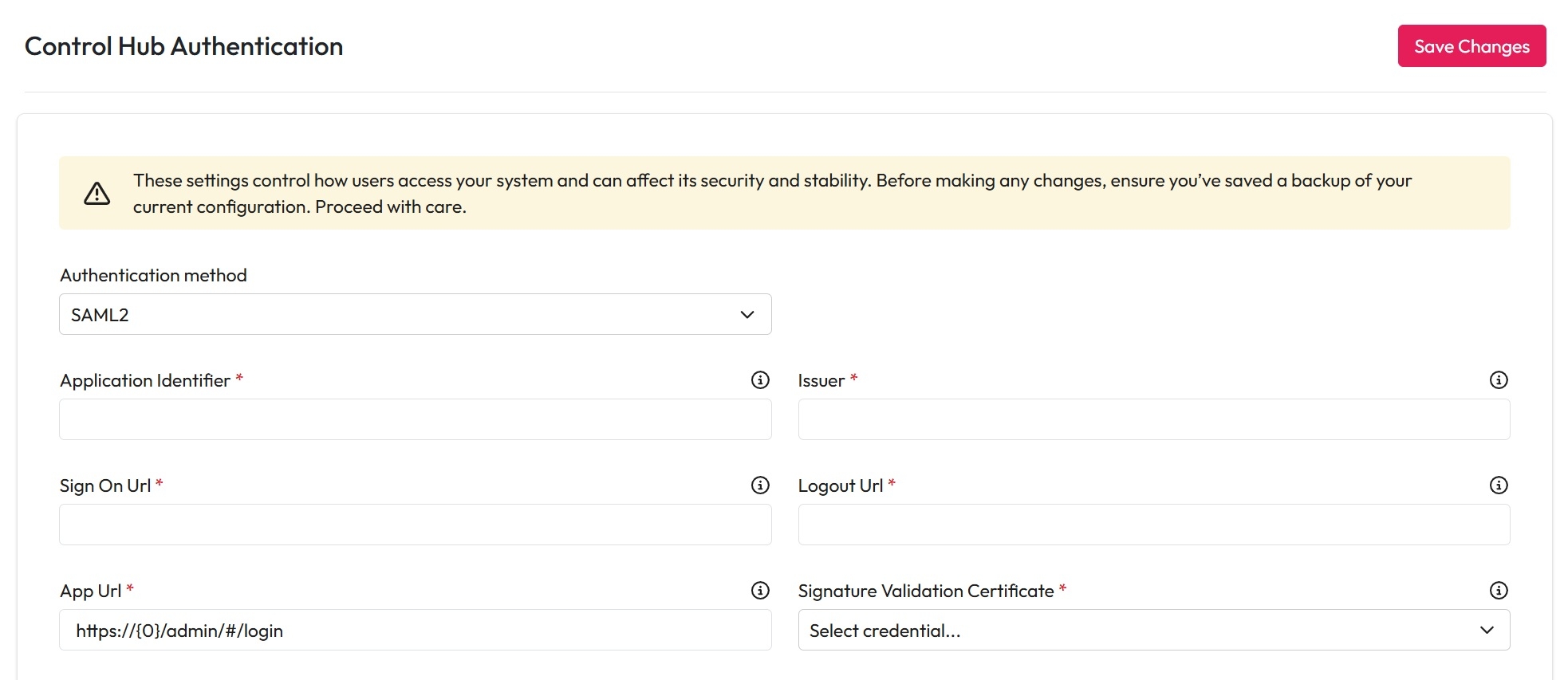
SAML2
SAML2 is an open standard that allows single sign-on (SSO) of applications.
Configuration Options
Application Identifier: This should be set to the application ID of your identity provider.
Issuer: The issuer from your identity provider.
Sign on URL: The login endpoint for your identity provider.
Logout URL: The logout endpoint for your identity provider.
App URL: Endpoint for the Workplace AI to complete the login process. User {0}/admin as a placeholder for host and port - This must point to the admin app
Signature Validation Certificate: Upload the certificate as a credential, then select it here
ADFS
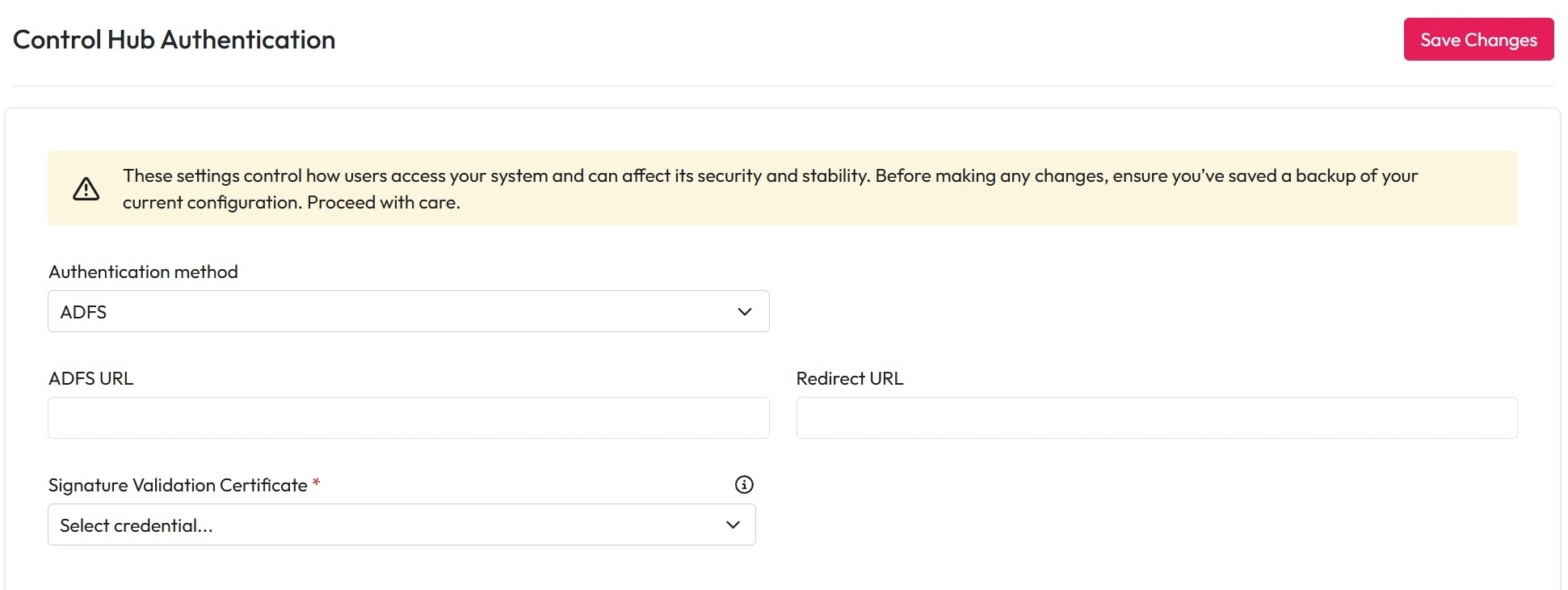
Active Directory Federation Services (ADFS) is a Microsoft identity and access management service that allows users to authenticate using their existing Active Directory (AD) credentials.
Configuration Options
ADFS URL: Enter your ADFS authentication endpoint
Redirect URL: Enter the URL to redirect to after the user has been authenticated
Certificate Credential: Upload the certificate as a credential, then select it here
Forms
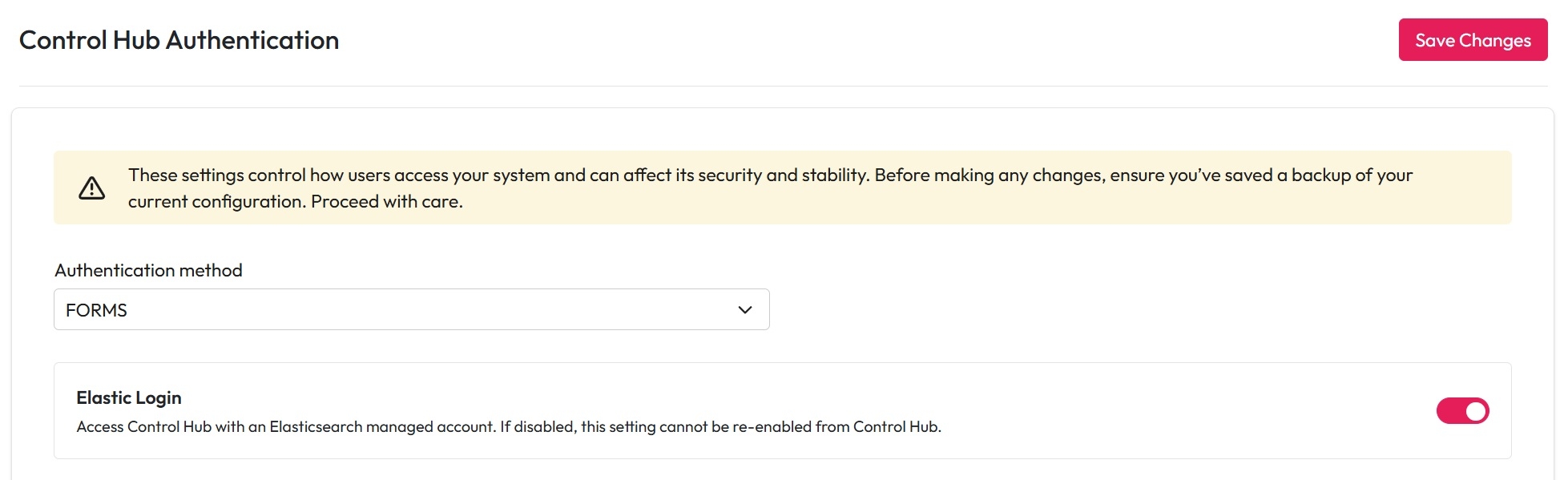
Forms Authentication allows users to sign in using the accounts provided through your configured security syncs (e.g. AD-synced groups).
Configuration Steps
Configure a Security Sync
Toggle off the Elastic Authentication option
Once Elastic authentication is disabled via the UI, it cannot be re-enabled from the Control Hub frontend.
If misconfigured and access is lost, use the IndexUtility to restore previous settings.
After saving the new authentication settings, all authenticated sessions will be invalidated, provided the "Invalidate tokens on logout" setting is enabled
Access Control
From this page you can also configure which users have access to Control Hub via the Access Control settings.
Simply add the users and groups you want to grant access to in the Control Hub Access configuration.

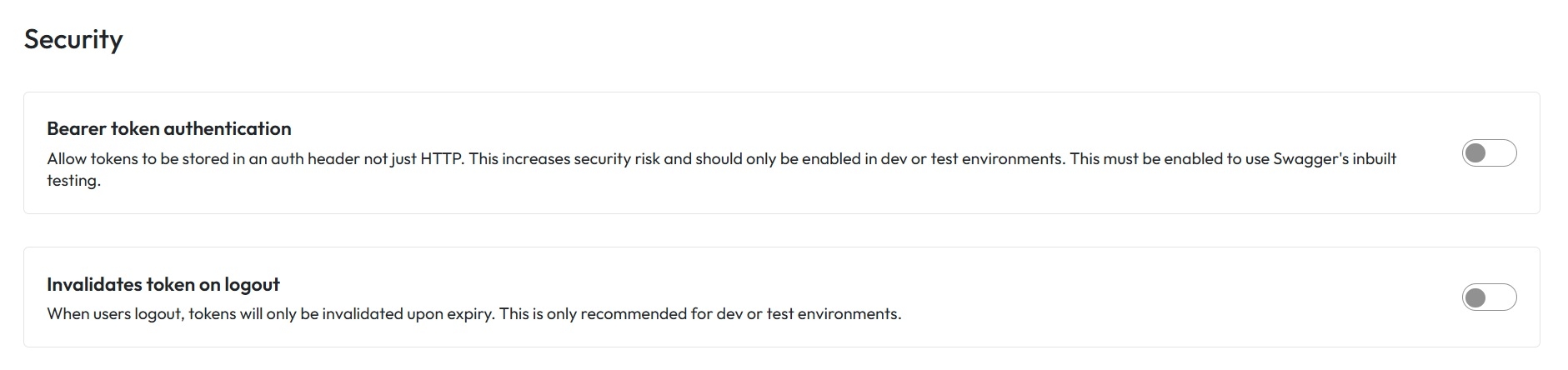
Security
These settings impact the safety, security and integrity if your system. Proceed with caution.
Enable Bearer token authentication
Allow tokens to be stored in an auth header not just HTTP. This increases your security risk and should only be enabled in dev or test environments. This must be enabled to use Swaggers inbuilt testing.
Valid logged out tokens
If enabled, logged out tokens will only be invalidated upon expiry. This is only recommended for dev or test environments.