Item Status and Reviews
Data owners, SMEs or other team members may need to review information before it is disclosed.
Assignees, notes and item statuses
You can assign an item to another user, add notes to it or update its status within a SAR.
Individual Items
Select the Item Status bar of the item you want to update.
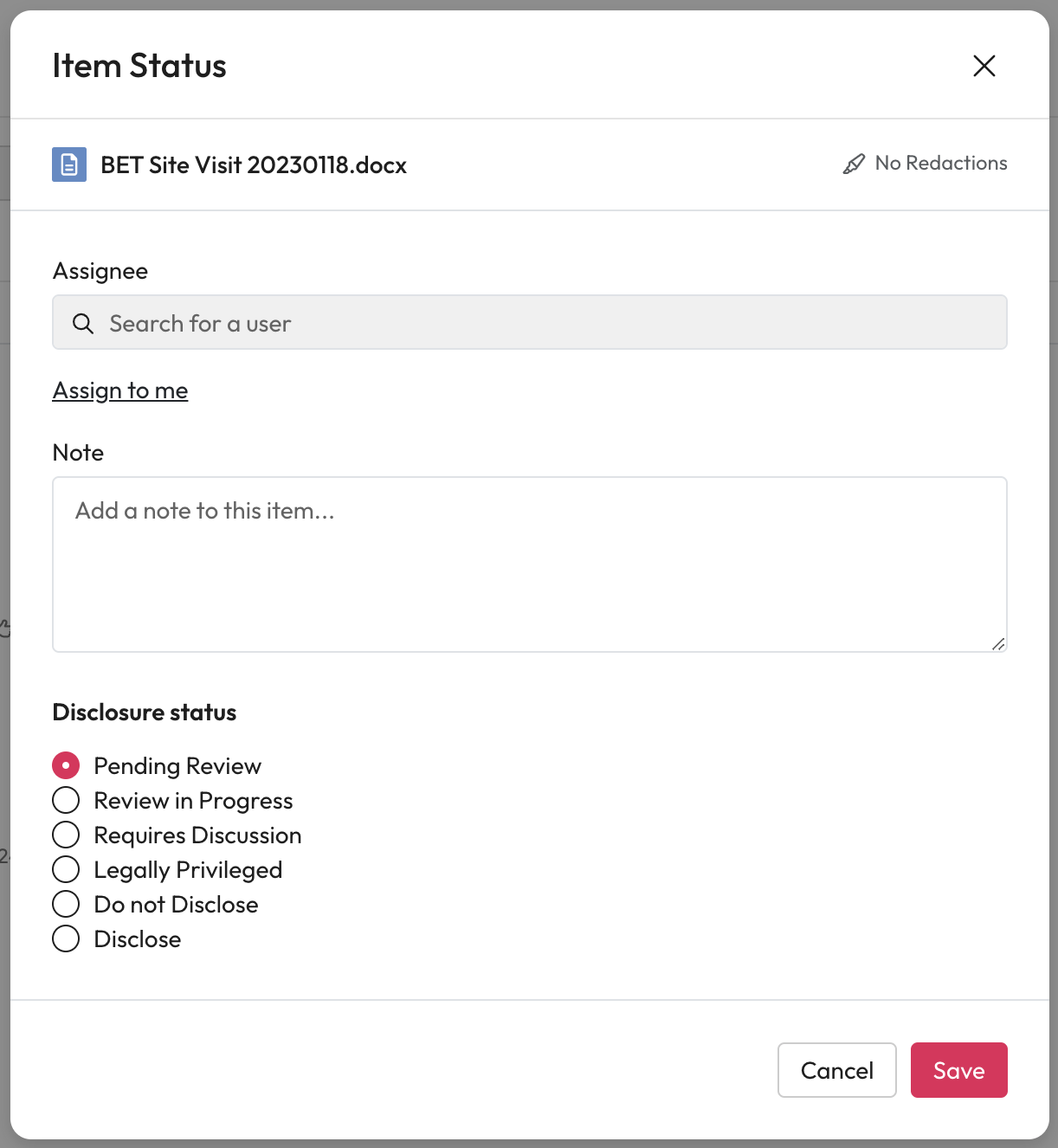
This will open the Item Status Model.
Assignee - Search for and select the user to assign this item to.
Note - You can then add any information to help the assignee complete the assignment.
Disclosure status - After a review select a status for these items from the list.
Select save when you are finished.
Multiple Items
Select the checkbox of each item you want reviewed.
Select Update Item Status
This will open the Item Status Model.
Assignee - Search for and select the user to assign this item to.
Note - You can then add any information to help the assignee complete the assignment.
Disclosure status - After a review select a status for these items from the list.
Select save when you are finished.