Saving a Search Query
Perform the search you want to schedule or save for the future.
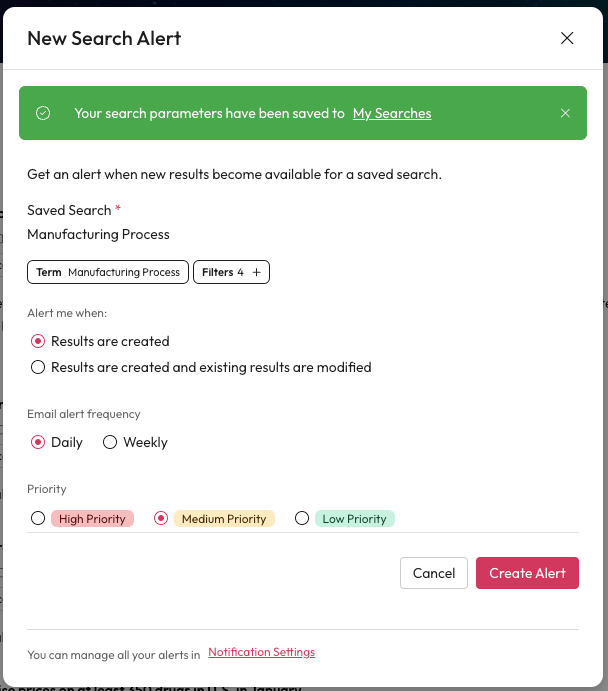
Select Actions.
Select Save Search Query from the menu.
This will open the New Saved Search Parameters pop up.
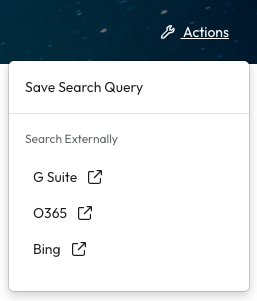
New Saved Search Parameters
Add a name for your search in Saved Search Name.
You could use the terms you searched or context on why you searched it or a case it relates to.
The terms and filters applied are below the name field. Select the show filters + to see all the filters.
If you want to change your terms or filters you need to select cancel and run a new search with the correct terms or filters.
Check 'Alert me to new results' if you want to receive notifications for new results that match this search.
If this is not checked your search will be saved but not run on a schedule. You can manually run a saved search from My Searches.
Select Save Search.
If you checked alert me this will open the New Search Alert pop up.
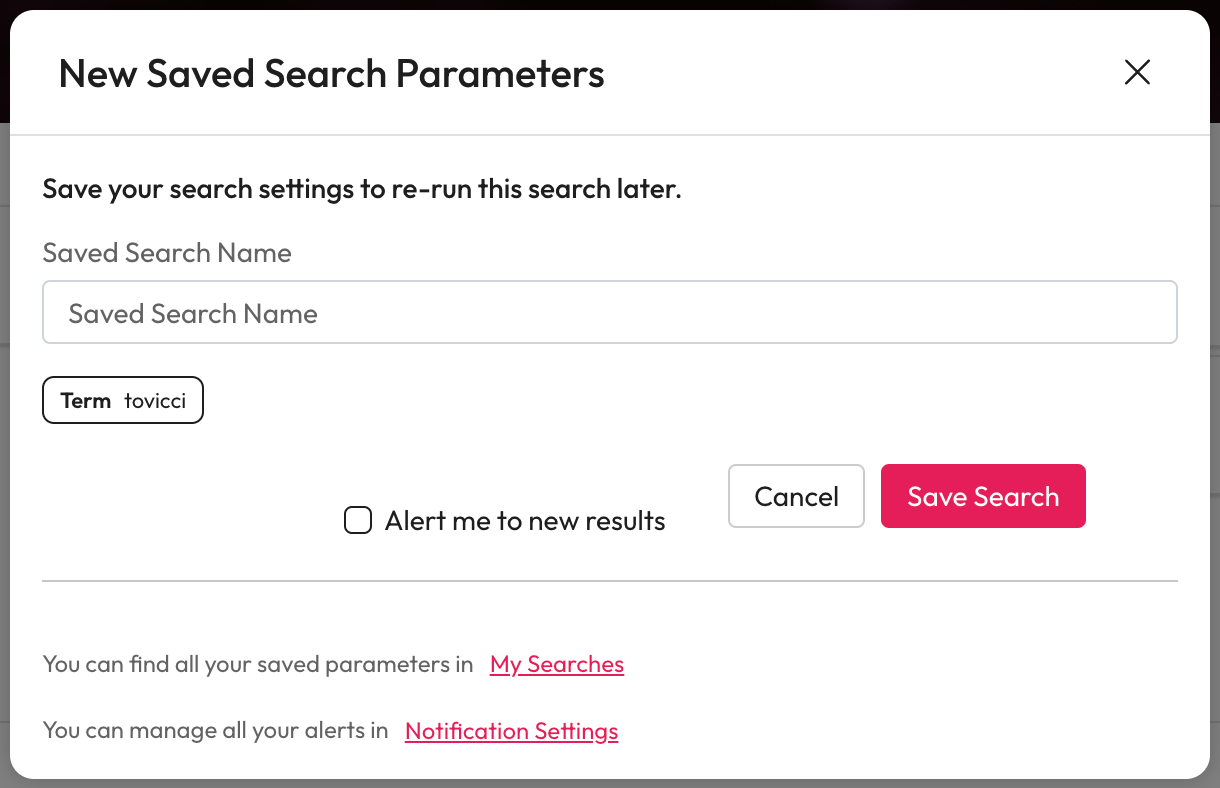
New Search Alert
Check the name, term and filters under Search search.
Choose when you would like to be notified within Alert me when.
Results are created - Notify you only when a new item is available.
Results are create and existing results are modified - Notify you when a new item is available and if anything you've already seen is modified.
Choose how often you want to be alerted within Email alert frequency.
Daily - Receive an email daily with any items based on your Alert me when choice.
Weekly - Receive an email once a week with any items based on your Alert me when choice.
Choose a priority based on how important this alert is to you.
Where possible notifications will be flagged with this.
Once you're happy with your settings, select Create Alert.