# Dropbox
Connect your Dropbox source to Workplace AI to make the most of the data.
Dropbox Prerequisites
There are some additional permissions that are required to connect Aiimi Insight Engine and Dropbox. Ensure the following permissions are checked:
* account\_info.read
* files.content.read
* sharing.read
* file\_requests.read
* contacts.read
* team\_info.read
* team\_data.member
* team\_data.content.read
* members.read
Credential Requirements
Dropbox requires a Client ID and Secrets credential within your Aiimi Insight Engine. [For support setting up a credential see our Create a Credential guide.](https://docs.aiimi.com/aiimi-insight-engine/control-hub/security/credentials)
* **Client ID** - Use the Dropbox App Key.
* This can be found within Dropbox on the Settings tab.
* **Secret** - You can enter any string here, it will be programmatically replaced later.
## **Initial Connection**
1. **Select Credential -** Select the Client ID and Secrets credential created above.
2. **Admin ID -** Leave this blank for now.
3. Save this configuration.
### **Connecting the source connector to the app**
1. Log onto the server where the source agent is run.
2. Open PowerShell as an administrator.
3. Navigate to `\InsightMaker\Utils\InsightMaker.Source.Dropbox.Utilities`.
4. Run `.\InsightMaker.Source.Dropbox.Utilities.exe authentication --source-id `.
5. Follow the onscreen prompts to log into Dropbox.
* This will replace the Client Secret within the credential you set up earlier.
6. Run `.\InsightMaker.Source.Dropbox.Utilities.exe list --source-id --members`.
7. Note the dbmid for the user you wish to crawl as.
### Connection Continued
1. Within the Control Hub edit the configuration you started.
2. **Admin ID** - Enter the dbmid you noted.
3. **File Open URL:** Check this is the base URI for an open file link, change as needed.
4. **Open Location URL:** Check this is the base URI for an open location link, change as needed.
***
## Team Folders
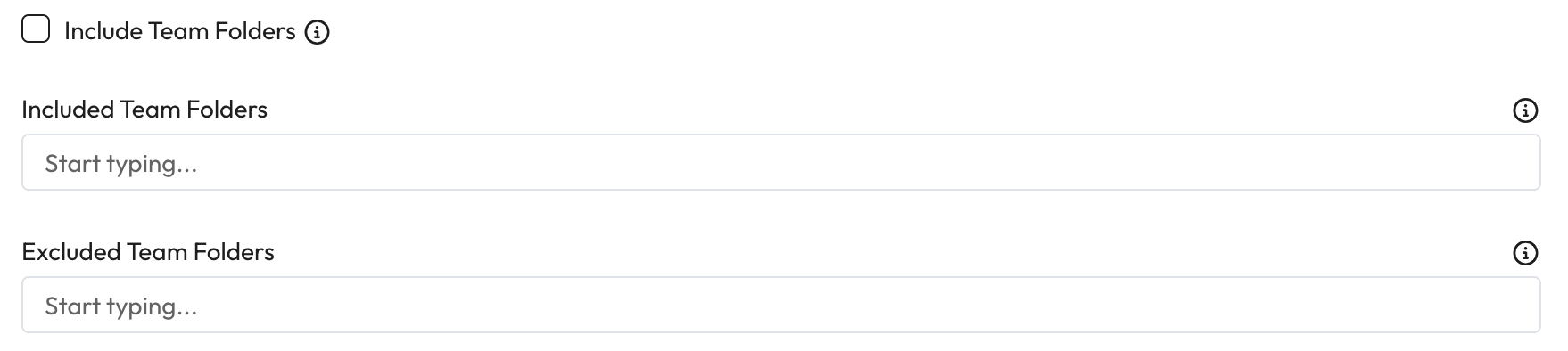
1. **Include Team Folders** - If checked, team folders will be included within the crawl.
2. **Included Team Folders** - Enter the specific folder names if limited folder should be crawled.
* If included and excluded team folders are empty all folders will be crawled.
3. **Excluded Team Folders** - Enter the name of any folders that should not be crawled.
* If included and excluded team folders are empty all folders will be crawled.
***
## Team Member Folders
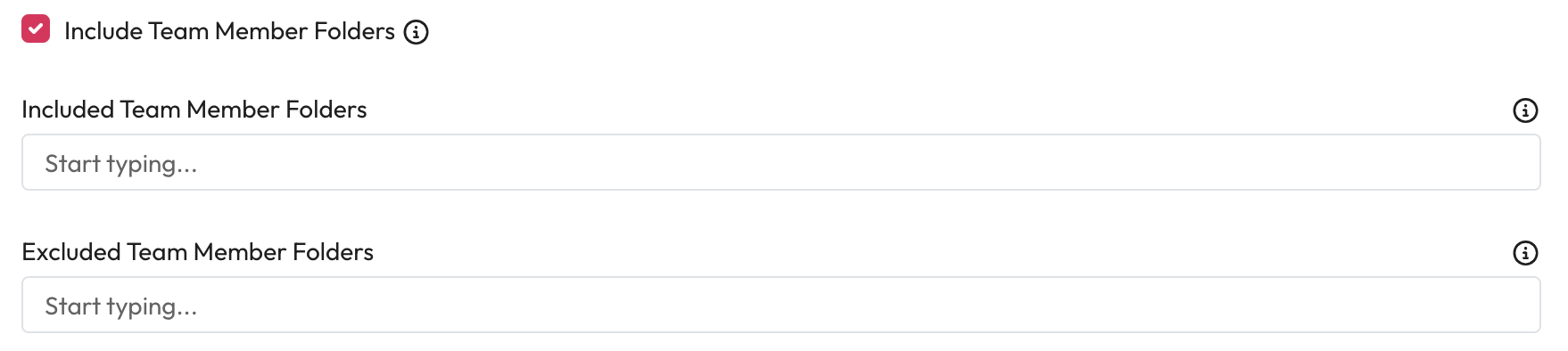
1. **Include Team Member Folders** - If checked, team member folders will be included within the crawl.
2. **Included Team Member Folders** - To limit the member folders crawled enter the names of the users you want to be included as a regular expression.
* If included and excluded team member folders are empty all folders will be crawled.
3. **Excluded Team Member Folders** - To exclude certain member folders enter the names of the users you don't want to crawl as a regular expression.
* If included and excluded team member folders are empty all folders will be crawled.
***
## Permissions
1. **Include Invitees** - If checked, invitees will be included within the permissions.
***
## Performance
1. **Calculate Created Date** - If checked, the crawl will try to calculate a files created date.
* This will impact the performance of the crawl.
2. **Max Revisions** - Enter the maximum number of revisions to retrieve when calculating the created date.
* Retrieving revisions is expensive, however the more provided the more accurate the created date will be. If a file has more revisions than this, the created date will not be accurate.
* Dropbox enforces a limit of 100.
3. **Log API Times** - If checked, the time spent in Dropbox API calls will be output as debug logging
4. Save the configuration.