# Google Drive Last Access Date
This job calculates and updates the last accessed date for files indexed by the Google Drive Connector.
### Prerequisites
* A Google Directory Secondary Security Sync is run using the Google Directory Secondary Security Sync plugin.
* An initial crawl is run using the Google Drive Connector plugin.
* The Last Accessed Date Job must be configured to use the same Google Directory Secondary Security Sync and Google Drive Connector configurations.
* A service account associated with the relevant project is needed to perform tasks for the connector.
### Source
1. **Source Configuration** - Enter the ID of the source configuration the job will extract data from.
2. **Drive Source Configuration -** Enter the ID of the Google Drive source the job will apply extracted data to.
### Security
1. **Security Configuration** - Select the Google Security Sync you want to use for this job.
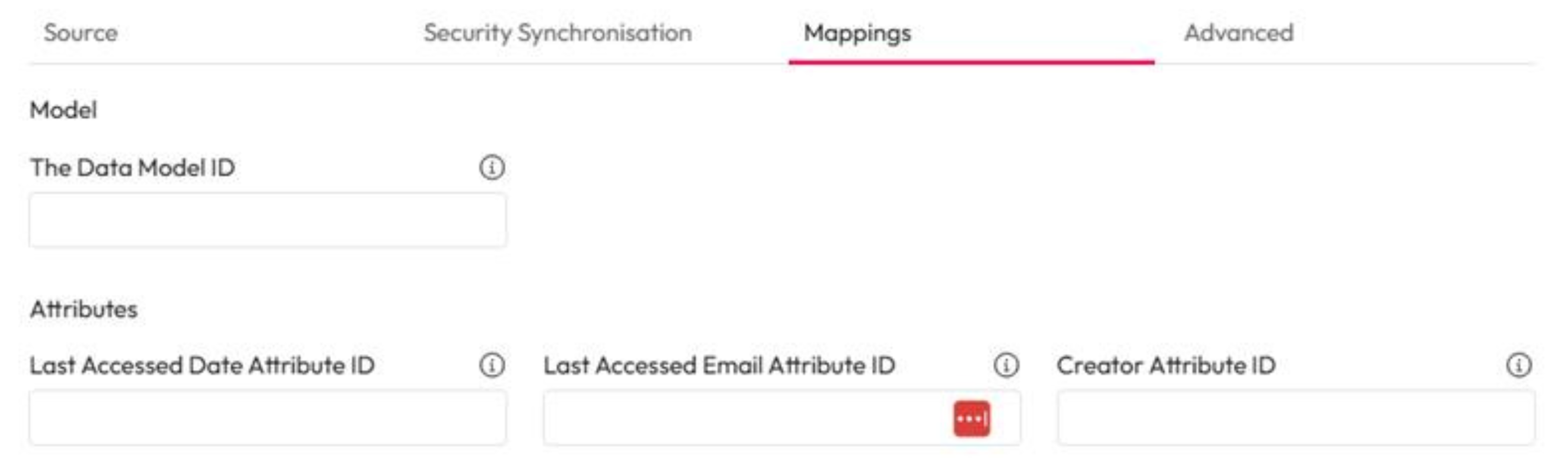
### Mappings
1. **The Data Model ID -** Enter the ID of the data model to use.
2. **Last Accessed Date Attribute ID -** Enter the ID for the data models Last Accessed Date attribute.
3. **Last Accessed Email Attribute ID -** Enter the ID for the data models Last Accessed Email attribute.
4. **Creator Attribute ID -** Enter the ID for the data models Creator Email attribute.
### Advanced
1. **Parallel Folder Crawling** - Enter the maximum number of folders that can be processed at the same time.
2. **Batch Size** - Enter the maximum number of files that can be retrieved from Google Drive per batch.